Automated tax filing, coming soon

Know what every project actually earns

Your bank, your invoices, and the work your team ships in one system. Lymb links every project to the money it moved, so margin is something you watch, not something you reconstruct at year end.
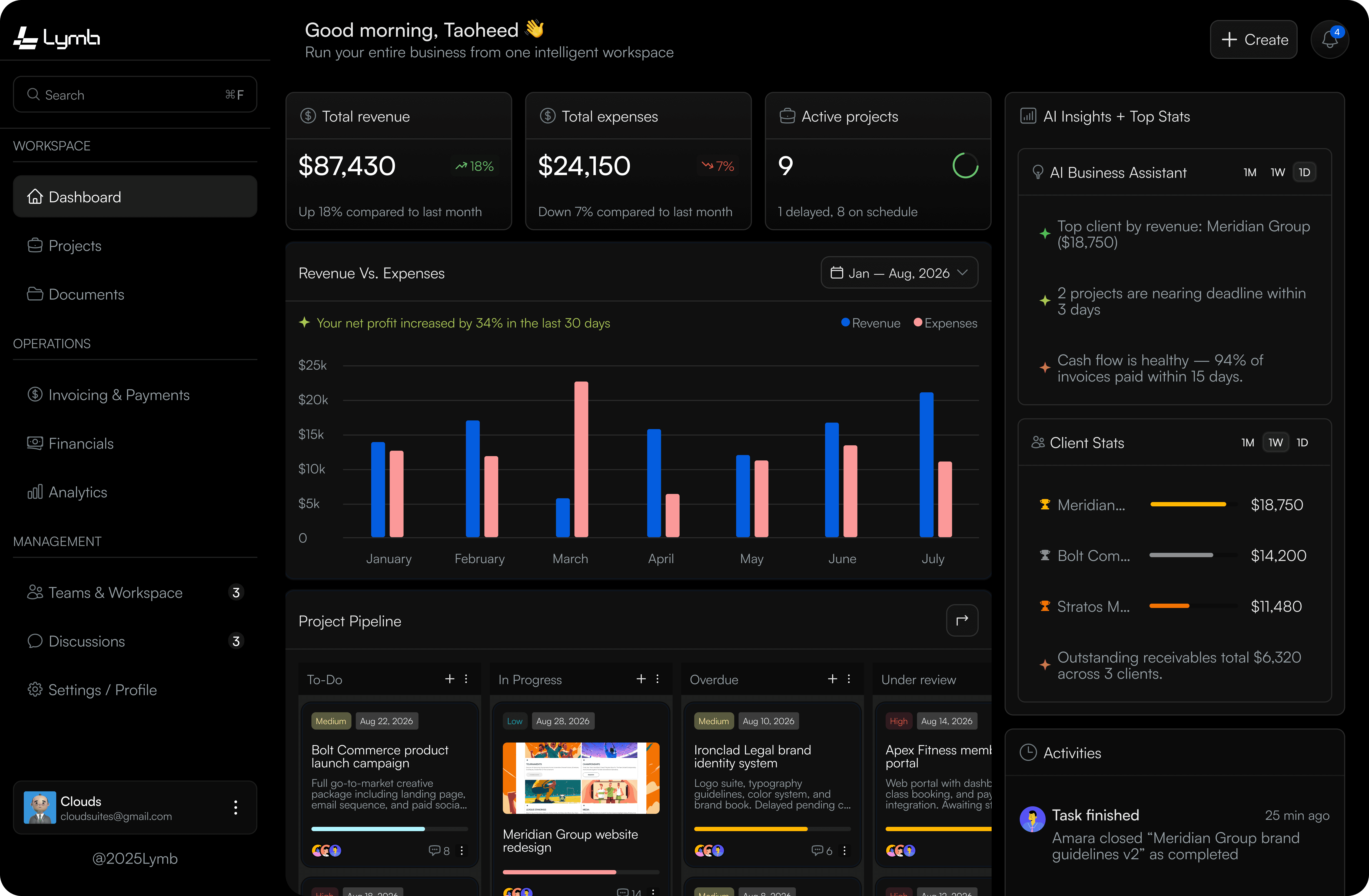
The Lymb workspace: project pipeline, revenue and expense totals, and an activity feed on one screen.

Connects to the rails you already use

Priced the last job on a guess

Project shipped, never billed

Reconciling by hand every quarter

You find out at year end

Your accountant has one version of the truth. Your project board has another. Neither can tell you which client is worth keeping.

Your project tool says

“The Neotech build is 72% done, 18 tasks left.”

It knows every hour logged and every task shipped. It has no idea whether any of it was paid for.

NO CONNECTION

Your accountant says

“You invoiced $27,900 last quarter.”

It knows every payment that landed. It has no idea which project produced it or what that project cost to deliver.

Product

One system, four sides of the same business

Each module is useful alone. Together they answer questions no single tool can.

FINANCIALS

Every account, one balance

Connect banks and mobile money across currencies. Transactions sync on a schedule and categorise themselves.

  • Multi-currency, read-only access
  • Runway and burn, live
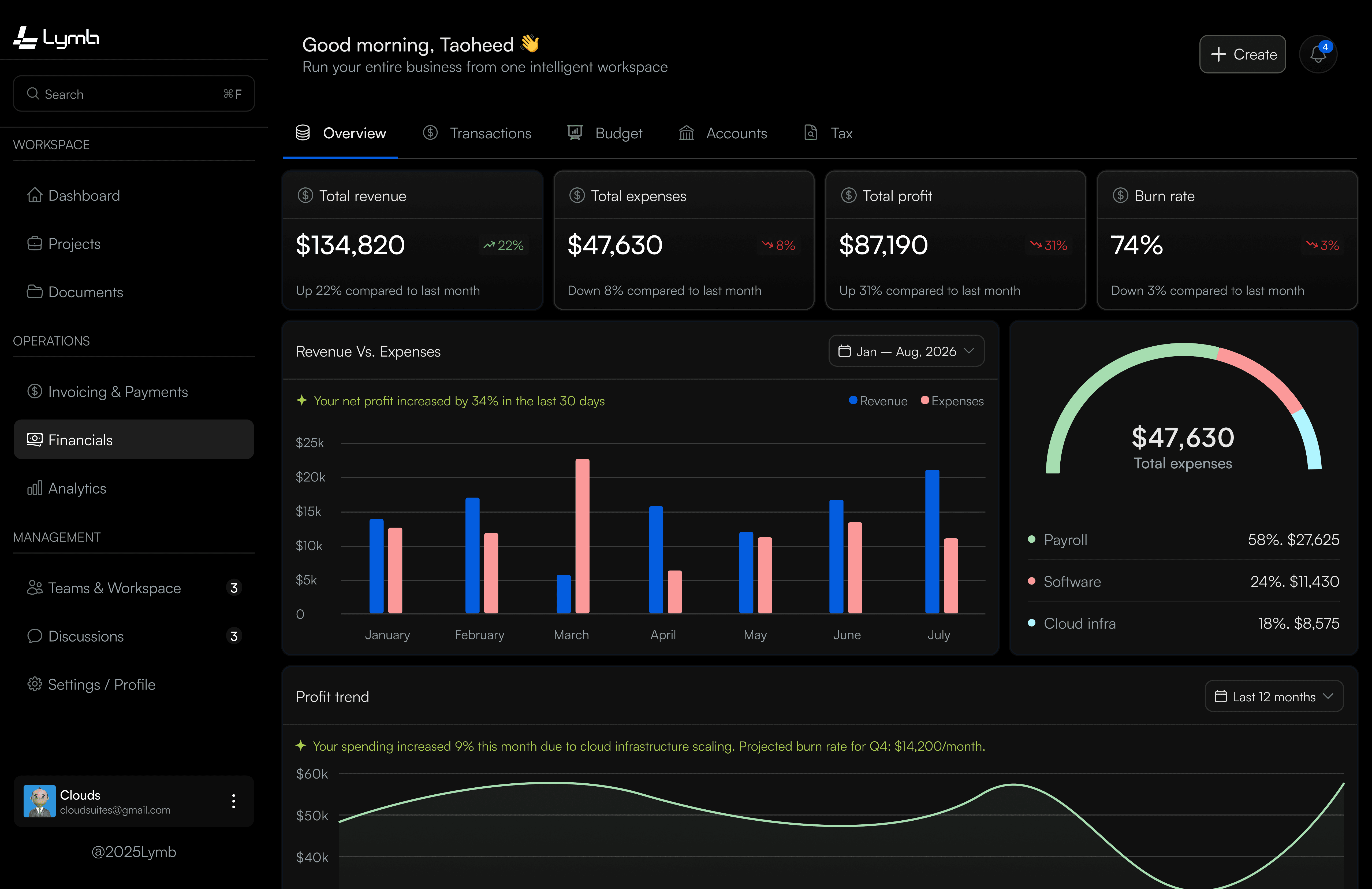
The financials view: total revenue, expenses, profit and burn rate above a revenue-versus-expenses chart.

INVOICING

Sent, seen, settled

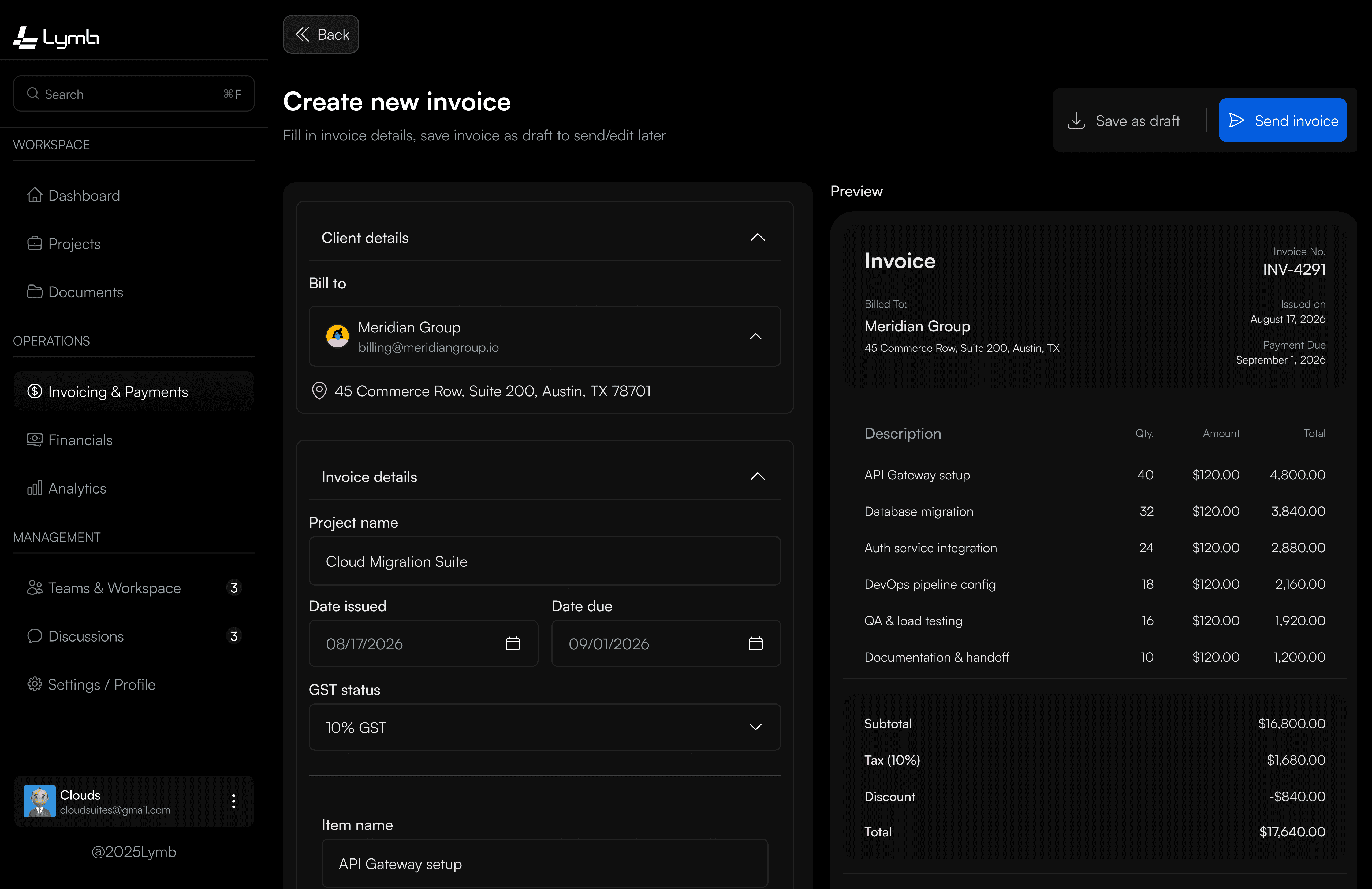
Issue invoices in any currency, watch them get opened, and let Lymb chase the ones that go quiet.

  • Automatic overdue reminders
  • Matched to bank settlements
The invoicing view: issued invoices with their status and settlement state.

PROJECTS

The work, priced

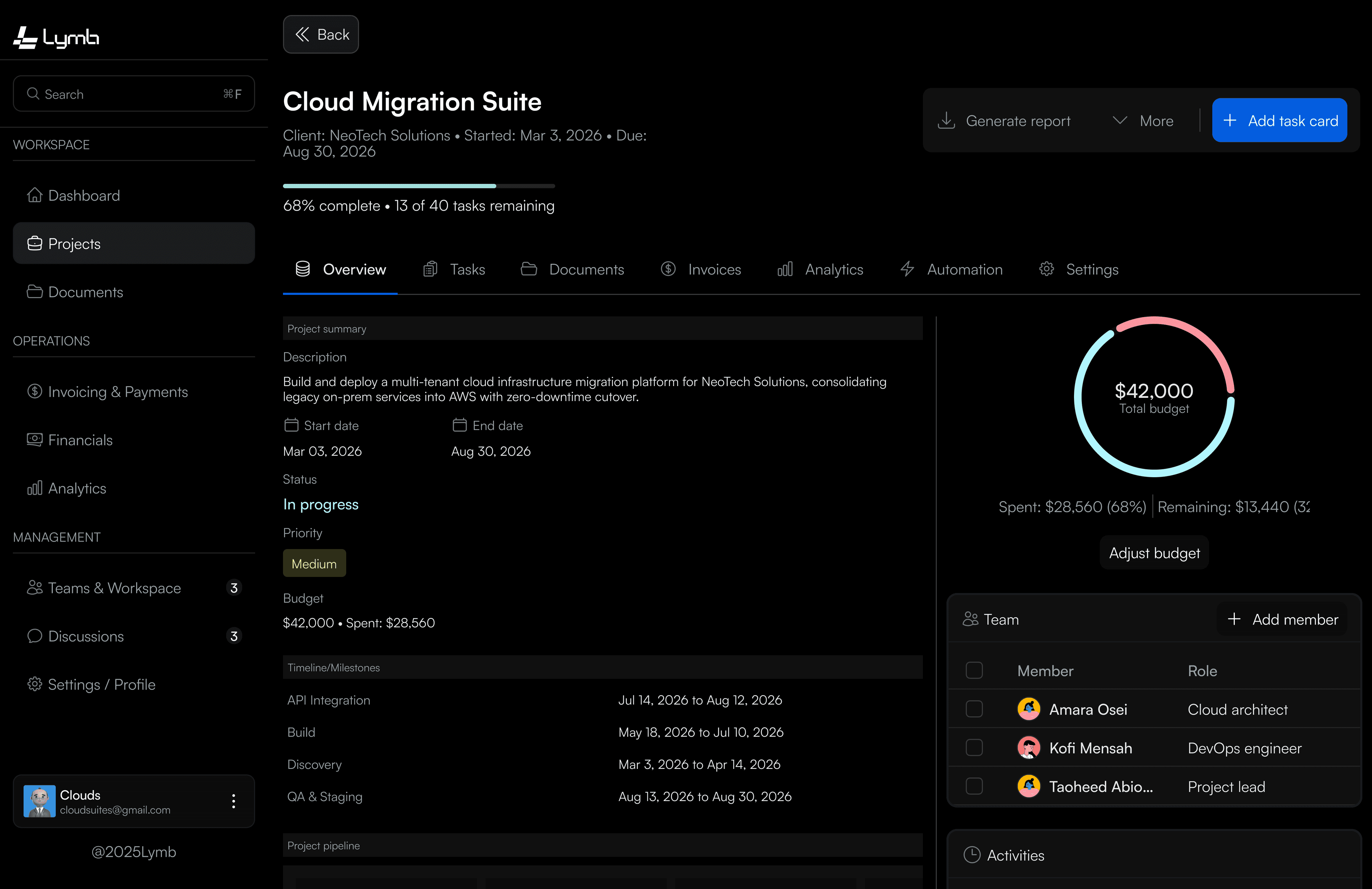
Boards, tasks, and hours that carry a cost. Every project knows what it earned and what it took.

  • Margin per project and client
  • Invoices attach to the work
The projects view: a board of tasks with cost and margin attached to each project.

TEAM

Access that fits the role

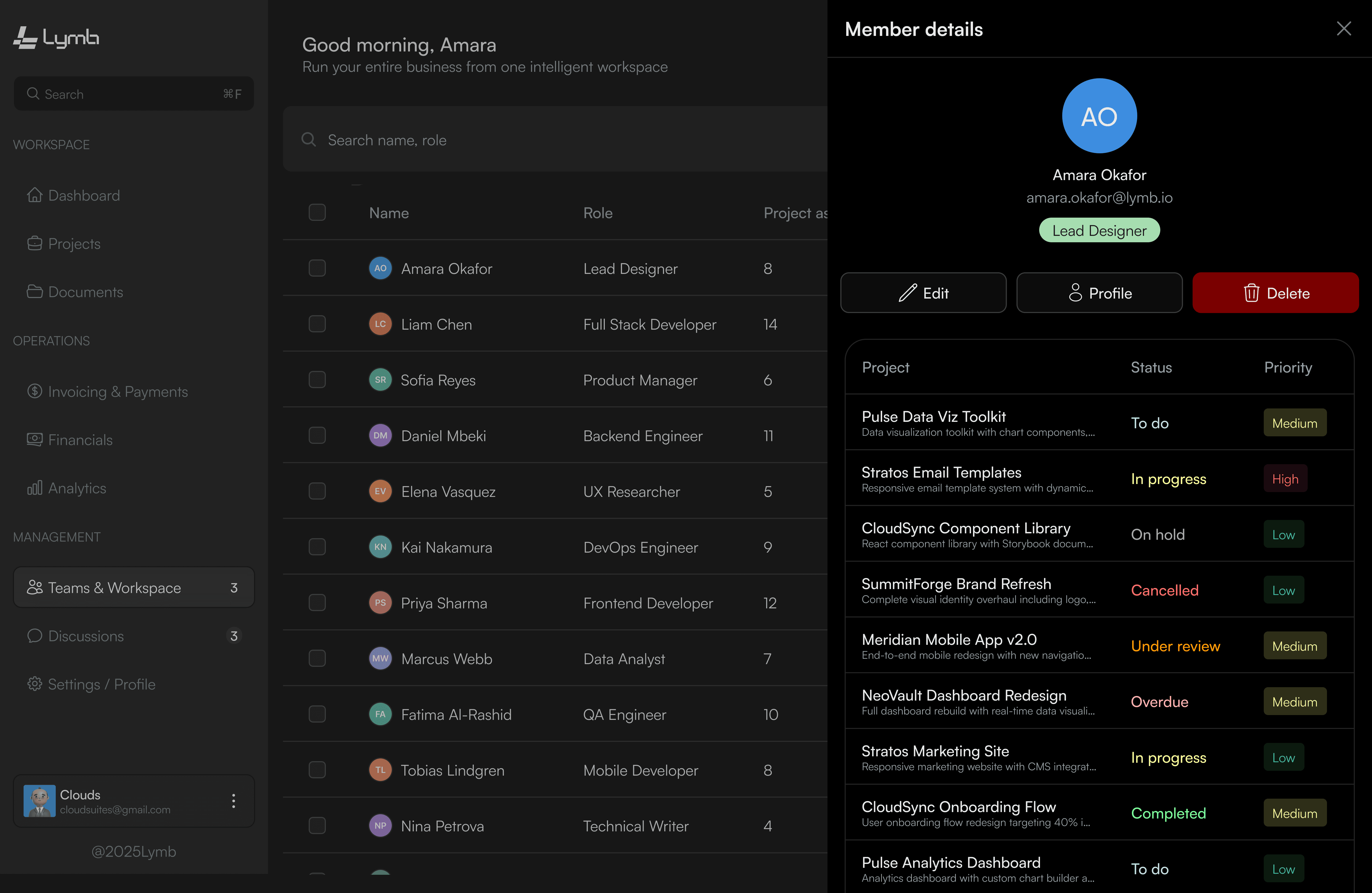
Founders see everything. Finance sees the money. Contractors see only their projects. Set once, enforced everywhere.

  • Four roles, custom permissions
  • Full activity trail
The team view: members listed with their roles and permissions.

On the move

Both sides, in your pocket

The same line, on a smaller screen. Approve an invoice in a taxi, reassign a task from a client's office, check the balance before you commit to a hire.

PROJECTS

The board, mobile

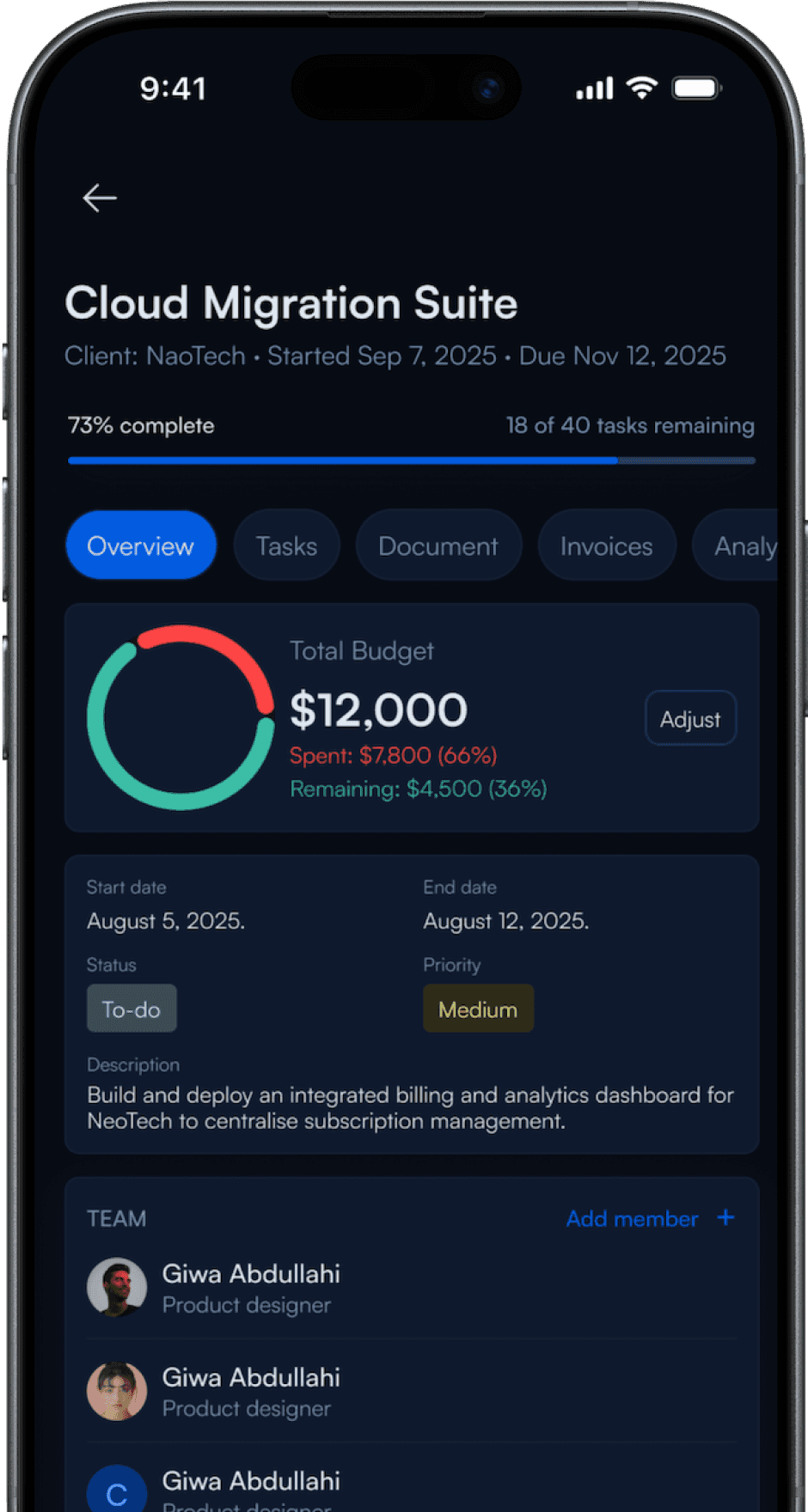
Drag, assign, and close tasks without opening a laptop.

The Lymb app showing a project's budget, dates and task list.

THIS WEEK

312h

tasks completed across 6 active projects

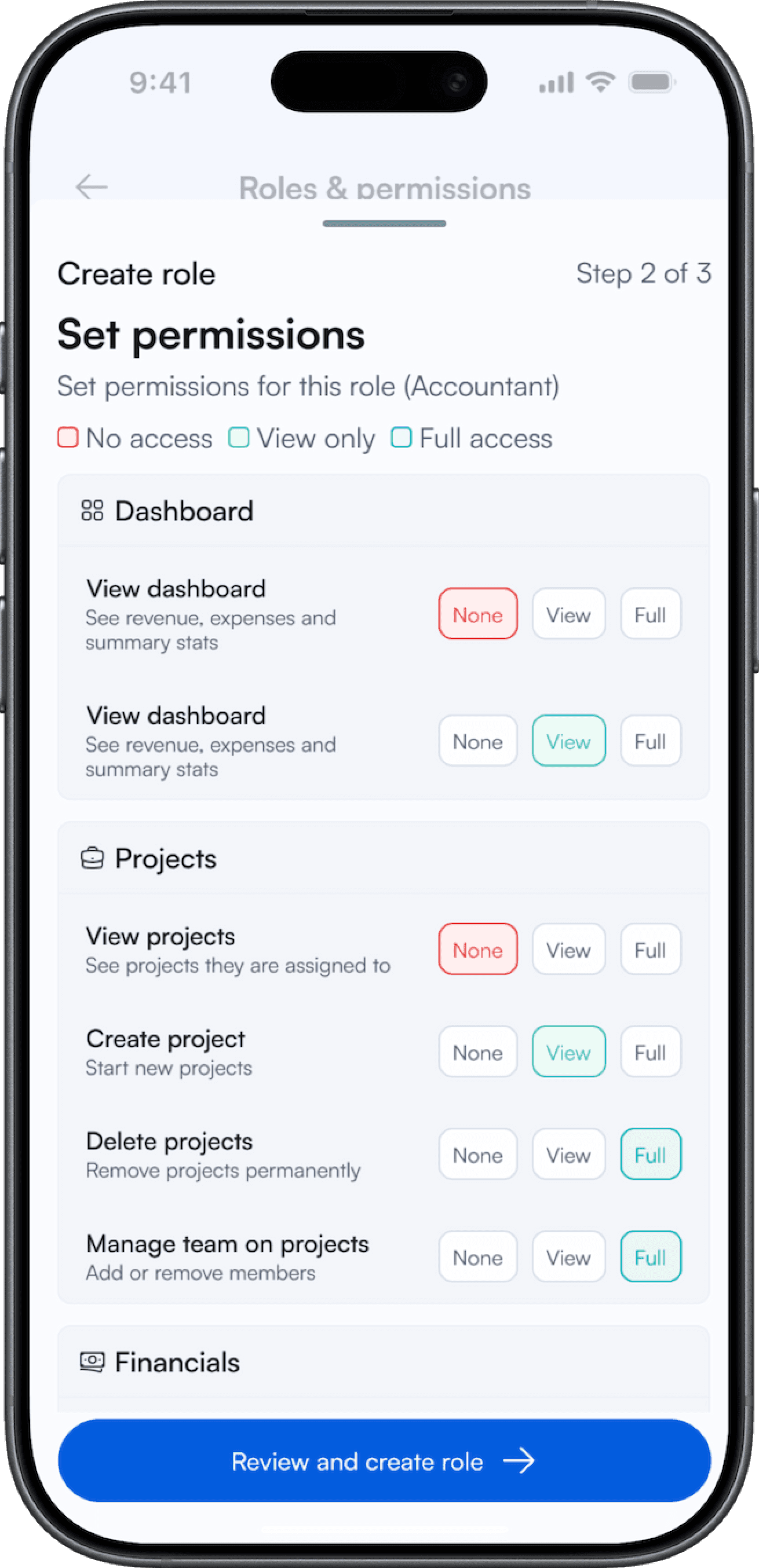
Roles travel with you

A contractor opening the app sees only their own projects never the money side.

  • Owner
  • Finance
  • Contractor

ACROSS 4 ACCOUNTS

$2.89M

synced and categorised automatically

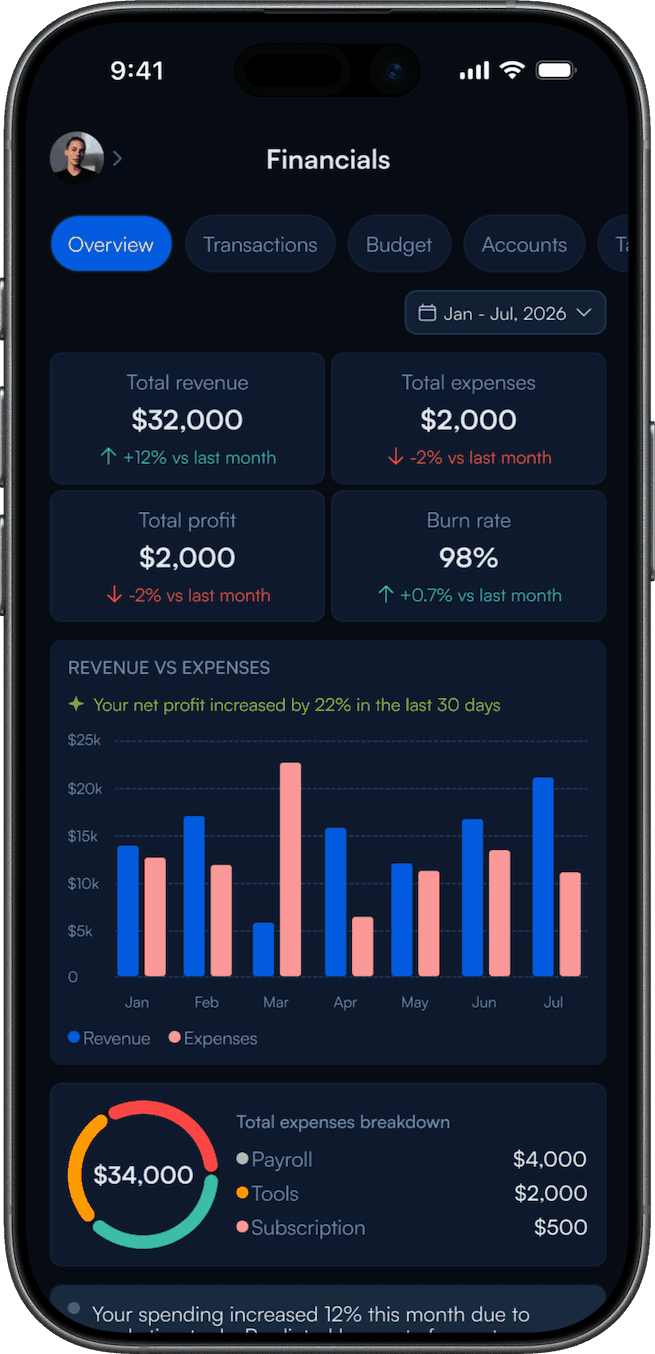
FINANCIALS

Cash, anywhere

Balances, budgets, and overdue invoices in one glance.

The Lymb app showing revenue, expenses, profit and a burn-rate chart.

Approve on the spot

Push notification, one tap, done, with the project it belongs to attached.

  • Approve
  • Flag
  • Later

Lymb AI

It reads both sides at once

Ask a question and Lymb pulls from whichever side holds the answer usually both. That's something a tool living on one side of the line can't do.

01 · Work
Projects
3 projects matched
02 · Work
Team
8 members
03 · Money
Invoices
3 invoices matched
04 · Money
Accounts
4 banks synced
Answer
Neotech Solutions
44.5% margin across 3 projects — $12,400 net on $27,900 invoiced. Your studio average is 35.2%, so Neotech runs 9 points ahead.

Every answer cites the records it came from

Compare

Everything else picks a side

The tools aren't bad. Accounting software is excellent at accounting. Project software is excellent at projects. Each one just lives on one side of the line.

Project tools

Asana, Trello, Monday, Jira

  • Tasks and boardsincluded
  • Team assignmentsincluded
  • Time trackingincluded
  • Bank accountsnot included
  • Invoices and paymentsnot included

Accounting tools

QuickBooks, Xero, FreshBooks

  • Bank accountsincluded
  • Invoices and paymentsincluded
  • Tax filingincluded
  • Tasks and boardsnot included
  • Team assignmentsnot included

Lymb sits across both

Which is why it can answer the question neither side can reach alone: what did this project actually earn?

Getting started

Draw the line once

Connect one side, bring in the other, and Lymb keeps the join current from then on.

  1. Connect your accounts

    Link banks and mobile money through Plaid, Mono, or Flutterwave. Read-only, so Lymb can see balances but never move funds.

    About 2 minutes

  2. Bring in your work

    Import projects from CSV or start fresh. Attach invoices to the projects they belong to, that link is what makes margin possible.

    Same afternoon

  3. Ask it anything

    From then on Lymb keeps itself current. Ask which client is worth keeping, where the runway ends, or who's over capacity.

    Ongoing, automatic

Security

Both sides, locked down

You're connecting a bank account and your team's work. Lymb is built so the worst case stays a small case.

Encrypted throughout

Encrypted in transit and at rest. Bank connections run through regulated aggregators. Credentials never stored.

Read-only by design

Lymb can see balances and transactions. It cannot move money, not with permission, not by mistake. The capability isn't built.

Full audit trail

Every action logged with who, what, and when. Exportable whenever you need it.

Get started
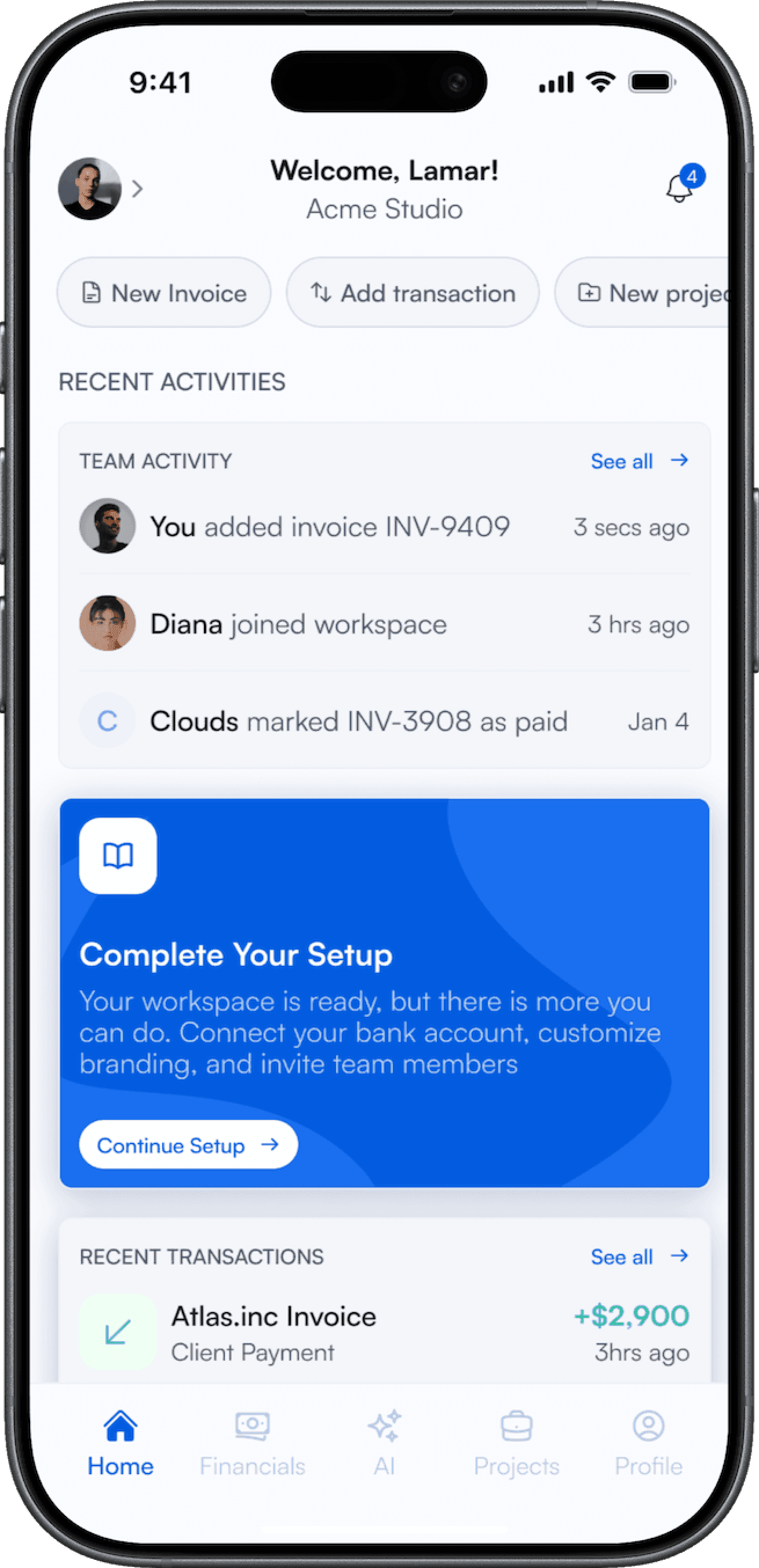
The Lymb app's recent activity feed, listing who did what and when.
The Lymb app's roles and permissions screen, setting access per area.

One login
The whole business.

Stop stitching a project tool to an accounting tool to a spreadsheet. Lymb runs the work, the money, and the line between them.

No card required · Bring your team in minutes

Get started